
100%
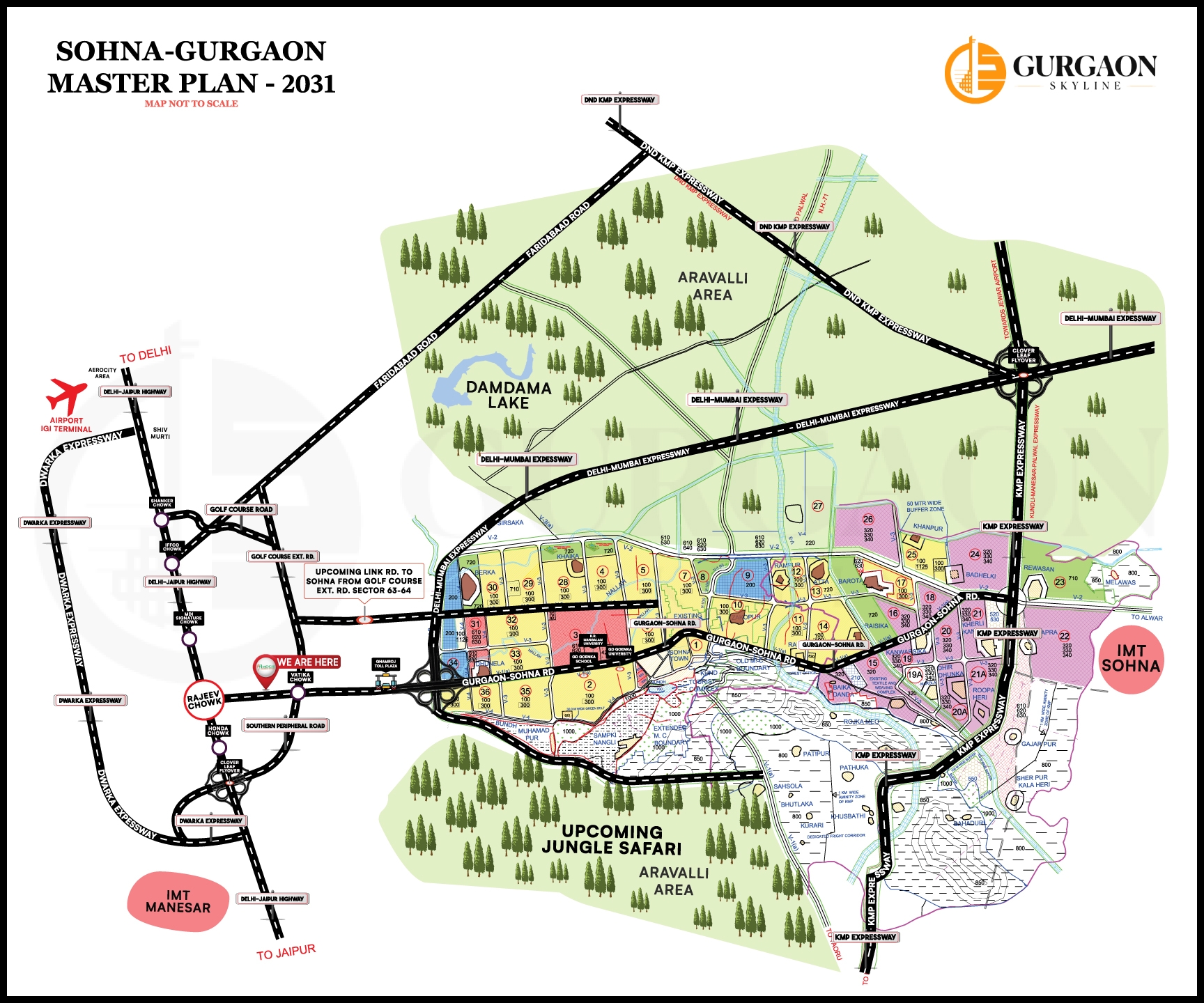
Sohna Map
Animated map features coming soon
Quick Guide
Click on any sector, area, or road to select or deselect it (multi-select supported for areas and roads).
Use Select All in Areas or Roads panels to quickly select all items in that category.
Double-click a sector to view its detailed information page.
Drag the map to pan, and scroll to zoom in or out. Use the controls for precise zoom.
Clear selections using the Clear all buttons in each panel.